
Android devices
Your Android mobile device can be transformed into GPS device with GPS Tracker application which can be downloaded from Google Play.
How to start using my mobile device as GPS device?
- Download Spinaxy application from Google Play;
- Install and start application on your device;
- Create Spinaxy account, more details here;
- Add your device to your Spinaxy account. Enter your device Name and IMEI number, more details here;
- Make sure GPS and Internet connection is activated on device;
- "Start tracking" in Spinaxy application;
- Wait for the device to get a satellite fix, this can take some time (and is best achieved outdoors with clear sky);
- After some minutes you will see location of your device;
- If you want better battery life, set the tracking interval to at least 60-120 seconds.
Spinaxy Mobile
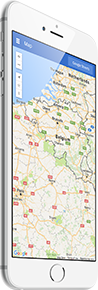 This is mobile client of Spinaxy tracking application. In order to use this application, you must have a subscriber account or use a demo account.
This application may be useful for
- Easily access your account using Android mobile client app;
- Track your devices online in real time;
- Review history tracks and events;
- Help you keep track of your kids;
Download app
Vehicle control using commands
This feature is only available with our hard-wired devices (Strawberry) if additional hardware has been installed in your vehicle. Only selected vehicles which are automatic qualify for this additional feature.
- Login to your Spinaxy account;
- In top panel find command prompt icon near map selection;
- Select the command that you want to execute from the available commands below.
Available commands for GPS Tracker
- Start Vehicle
- Stop Vehicle
- Lock Doors
- Unlock Doors