
Billing
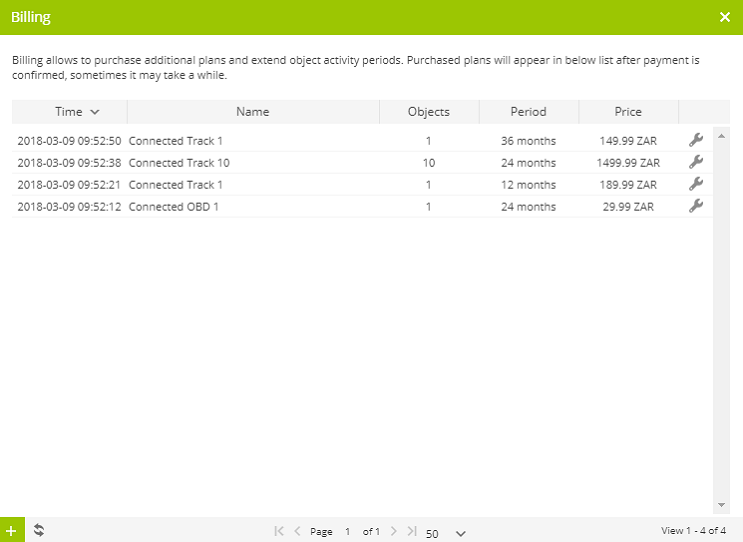
Billing section allows to order subscription plan and activate objects.
To access Billing, press  Billing menu item in account panel.

Billing window will appear. Billing section represents all purchased plans.
Purchase plan
To purchase new billing plan do next:
- In account panel press Billing menu item.
- In billing window left bottom corner press
 button.
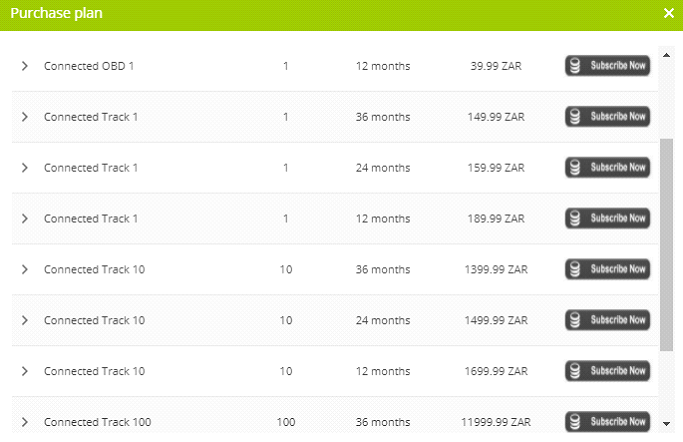
 - Purchase plan window will appear.
- Press purchase icon of chosen plan.
Note: Purchased plan will be automatically added to your account during 5 minutes.