
Image gallery
This section allows to receive images from supported devices.
To access Image gallery, press  Image gallery menu item in top panel.

Image gallery window will appear.
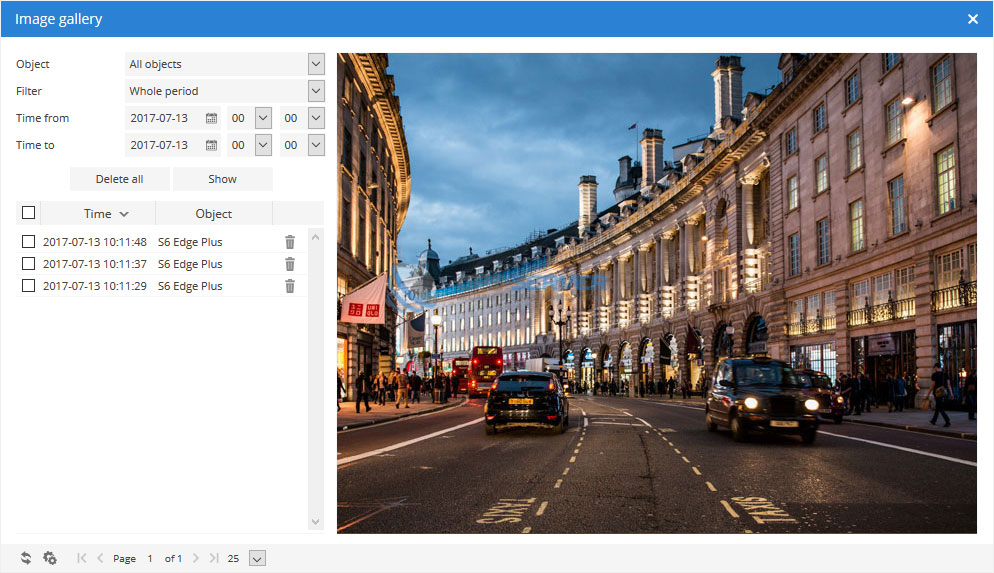
To remove multiple entries do next:
- Mark entries by clicking checkbox on the left.
- Proceed action in
 action menu located at the bottom of settings window.
 - Choose
 Delete.
 - Confirm action which will be applied to all selected items.
Image gallery is fully supported by Android devices (download Android GPS Tracker application).
Note: In order to use Image gallery with Android device you must:
- in edit object section choose GPS device: Mobile (Android).
or - run Android GPS Tracker application and click start tracking. As soon as application detects device location, GPS-server.net system will add it as Image gallery compatible device.