Server management
Manage server page represents main software features.
Server
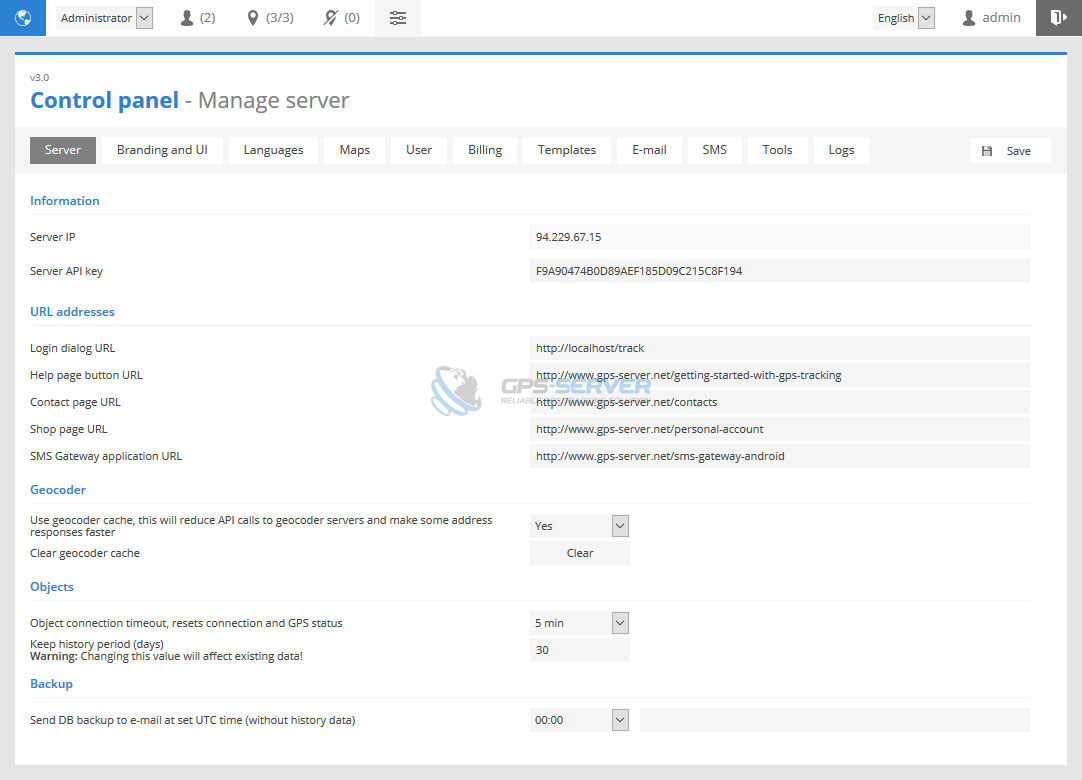
Server section contains basic software information, such as server name, IP address, logo, default interface language, etc..
Geocoder
- Use geocoder cache, this will reduce API calls to geocoder servers and make some address responses faster - object location is received and saved in GPS server database to improve software performance.
- Clear geocode cache - if for any reason you would like to erase memory press Clear button.
History
Keep history period (days) - object history data will be kept for set number of days.
Branding and UI
Branding and UI section allows to change server logo, favicon, background image of login page, create custom presets with different design colors.
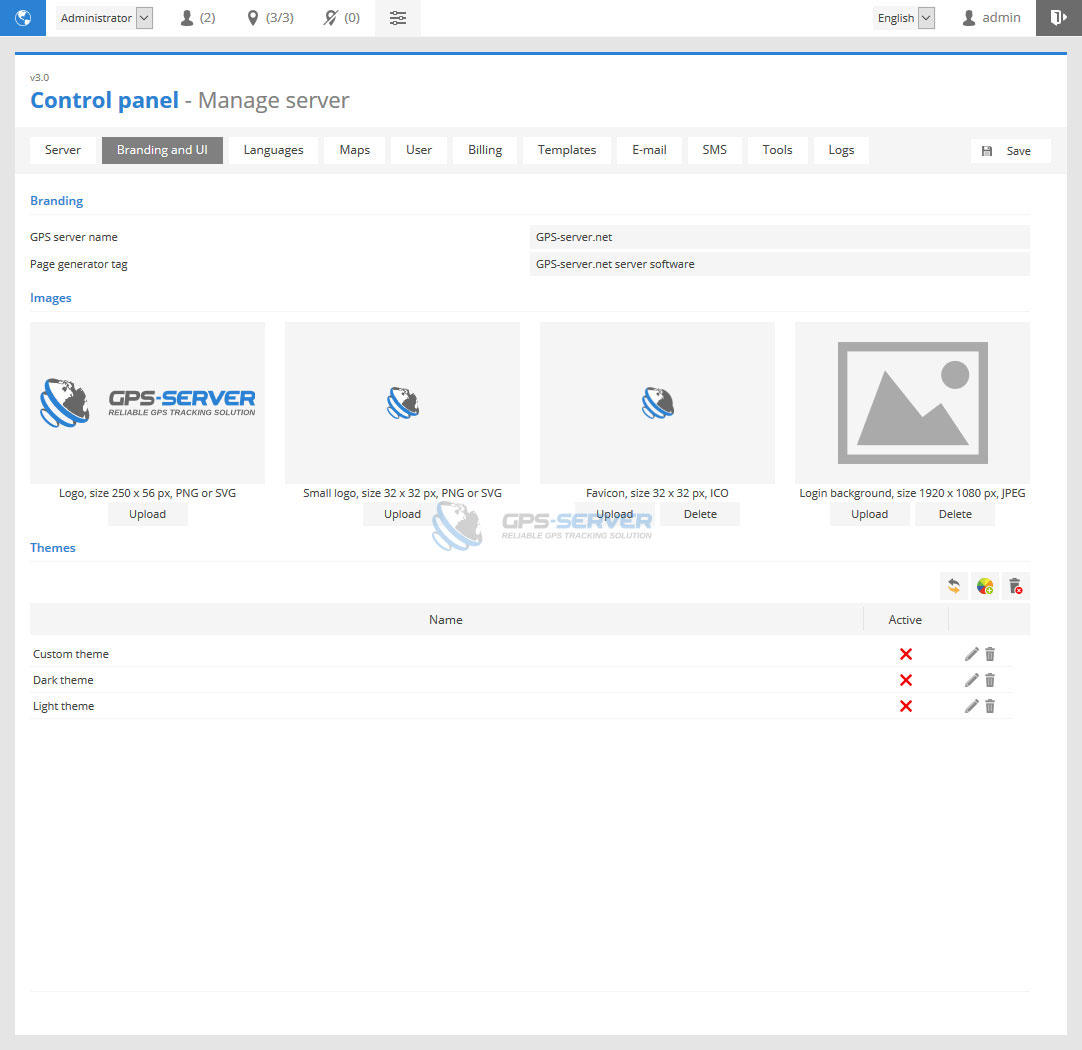
To add color theme do next:
- In Branding and UI page bottom part press
 Add button.
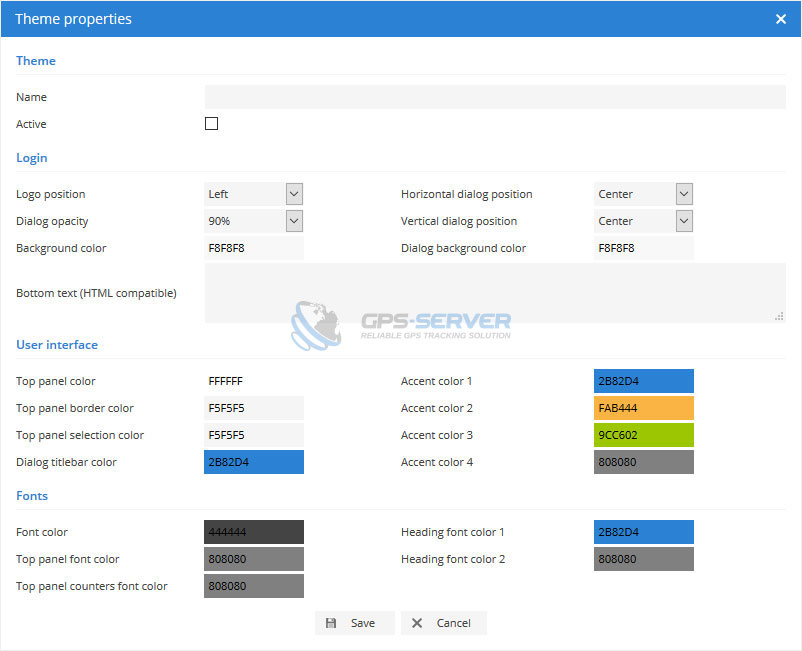
 - Theme properties window will appear.
Languages
Languages section allows to manage translations using language editor.
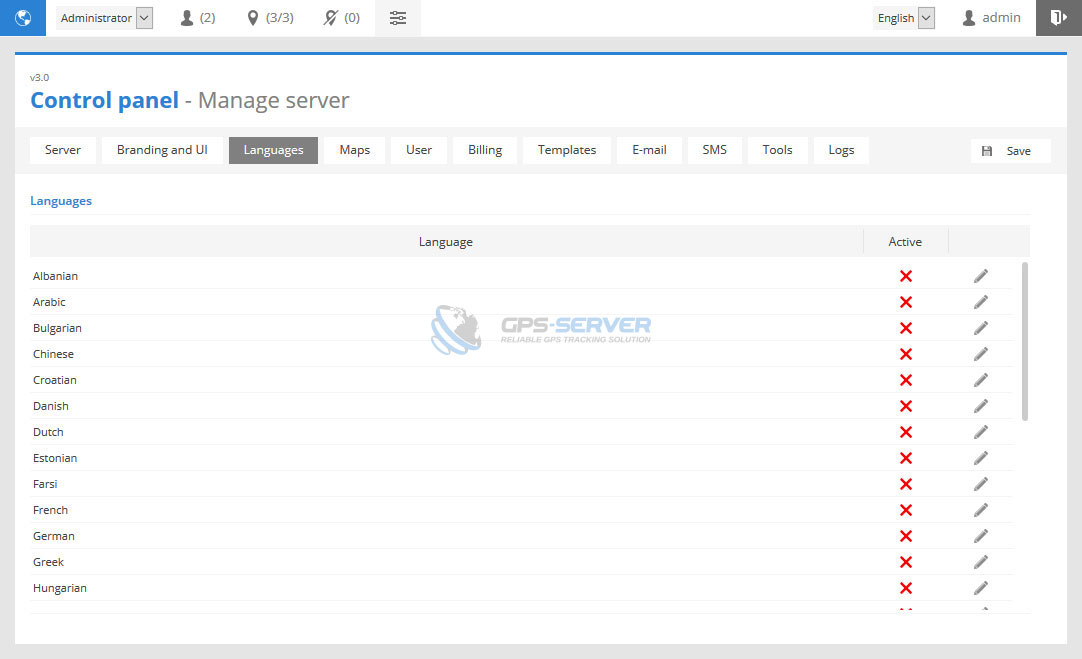
To edit language do next:
- In Languages tab choose language to edit and click
 edit icon on the right side.
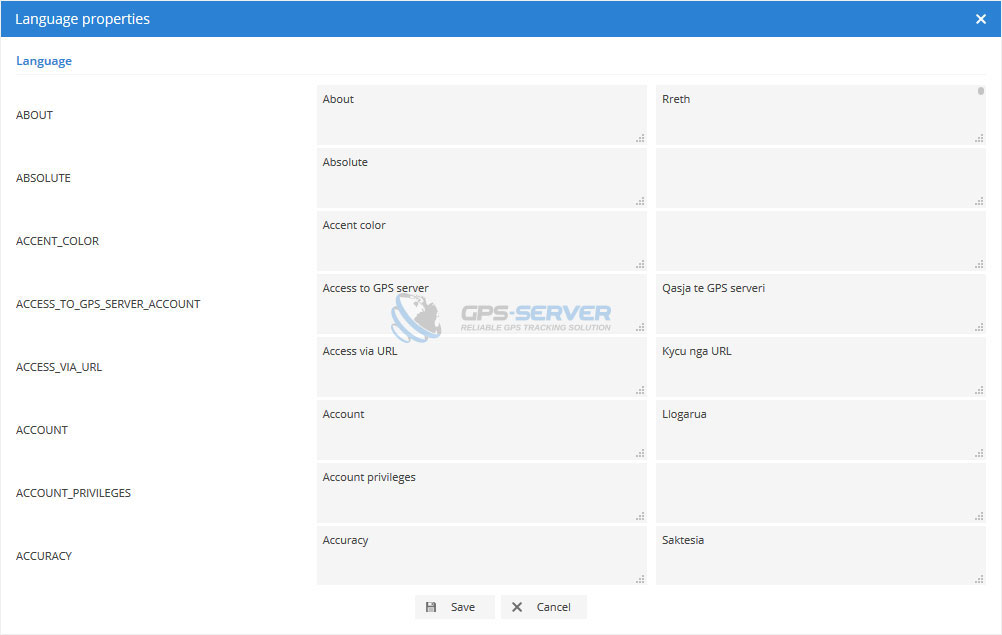
 - Language properties window will appear.
Maps
This section allows to choose maps which will be available in front-end, add custom TMS and WMS maps and set default map zoom level and coordinates.
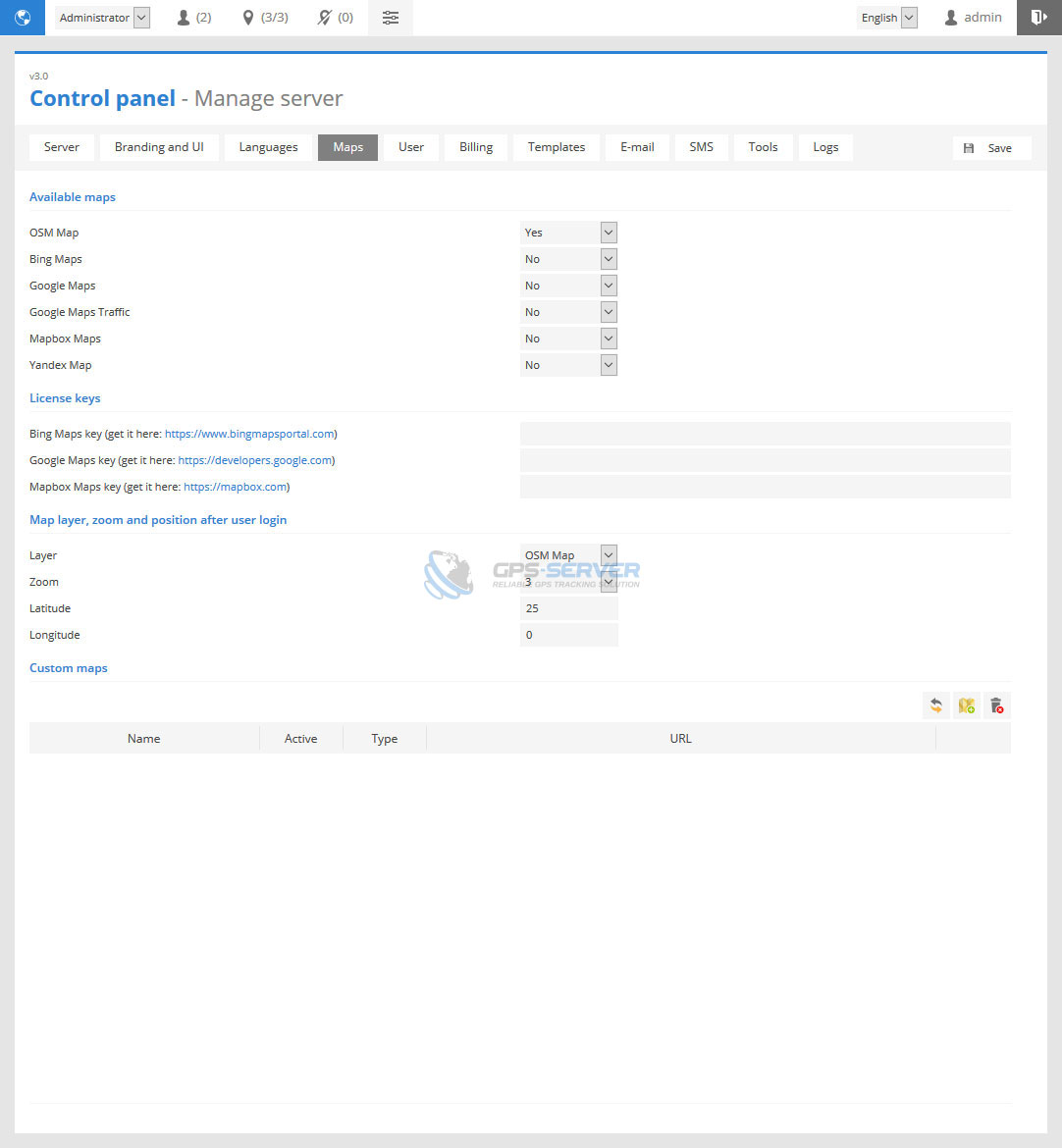
To add custom map do next:
- In Maps page bottom part press
 Add button.
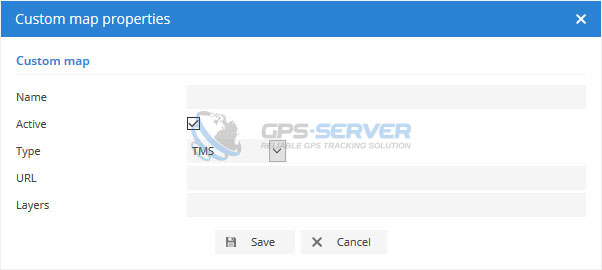
 - Custom map properties window will appear.
User
This section allows to configure user and payment settings.
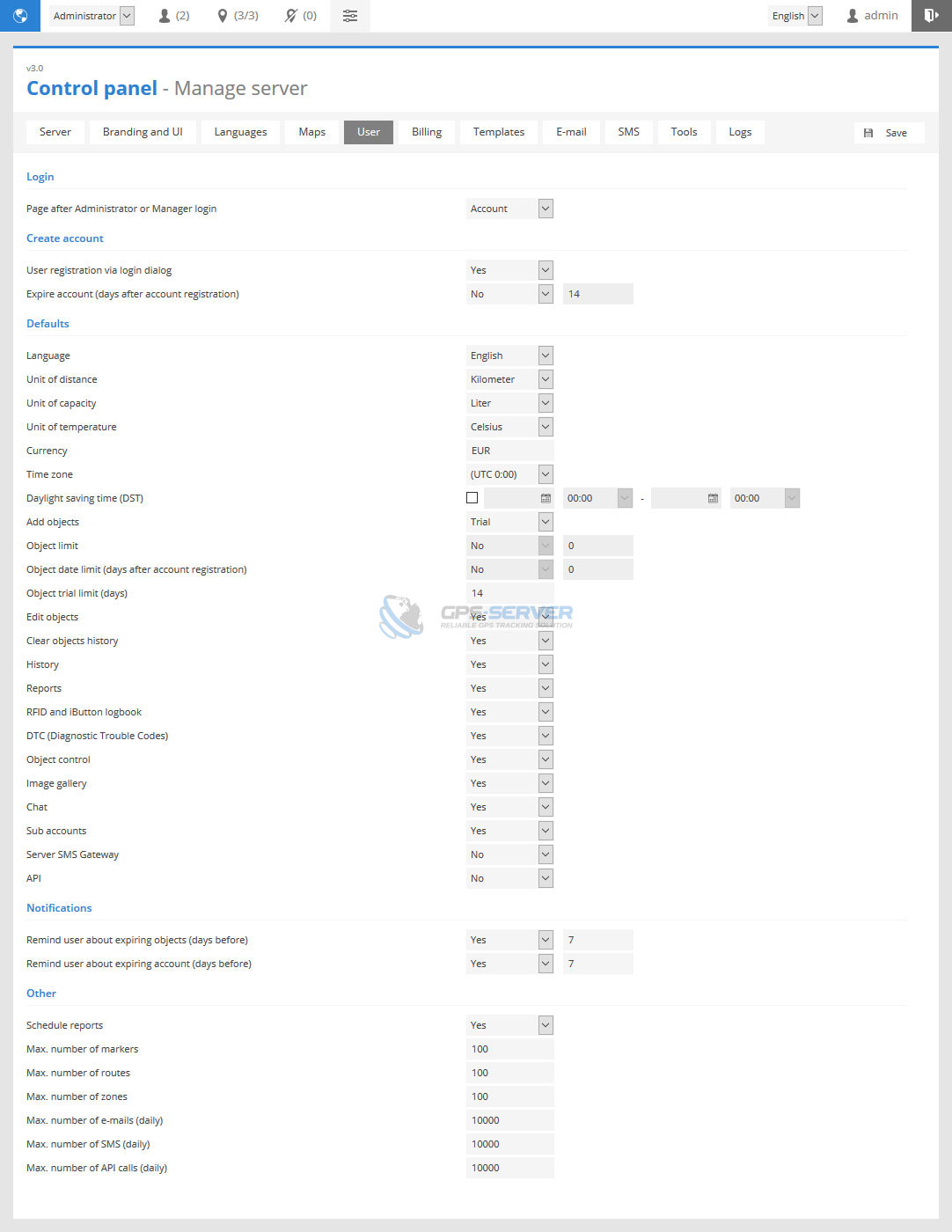
Login
- Page after Administrator or Manager login - page which opens after first Administrator or Manager login.
Create account
- User registration via login dialog - enable/disable user registration from login dialog.
- Expire account (days after account registration) - automatically expire account after set period of days.
Defaults
Below settings are user account defaults and applied automatically during registration.
- Language - default language.
- Unit of distance - unit of distance.
- Unit of capacity - unit of capacity
- Unit of temperature - unit of temperature.
- Currency - currency code (EUR, USD, GBP and etc.)
- Time zone - default time zone.
- Daylight saving time (DST) - daylight saving time start and end date.
- Add objects - permission to add objects from user account.
- Object limit - account object limit.
- Object date limit (days after account registration) - account object date limit (period of days).
- Object trial limit (days) - account object trial limit (period of days).
- Edit objects - permission to edit object settings.
- Clear objects history - permission to clear objects history.
- History - permission to access history.
- Reports - permission to access reports.
- RFID and iButton logbook - permission to access RFID and iButton logbook.
- DTC (Diagnostic Trouble Codes) - permission to access DTC (Diagnostic Trouble Codes).
- Object control - permission to access Object control.
- Image gallery - permission to access Image gallery.
- Chat - permission to access Chat.
- Sub accounts - permission to use Sub accounts.
- Server SMS Gateway - permission to use Server SMS Gateway.
- API - permission to use API.
Notifications
- Remind user about expiring objects (days before) - specify period in days.
- Remind user about expiring account (days before) - specify period in days.
Other
- Schedule reports - allows users to use schedule reports.
- Max. number of markers - limit markers for all users, also limit can be set for each user separately in Control panel edit user page.
- Max. number of routes - limit routes for all users, also limit can be set for each user separately in Control panel edit user page.
- Max. number of zones - limit zones for all users, also limit can be set for each user separately in Control panel edit user page.
- Max. number of e-mails (daily) - limit e-mail sending for all users, also limit can be set for each user separately in Control panel edit user page.
- Max. number of SMS (daily) - limit SMS sending for all users, also limit can be set for each user separately in Control panel edit user page.
- Max. number of API calls (daily) - limit API calls for all users, also limit can be set for each user separately in Control panel edit user page.
Billing
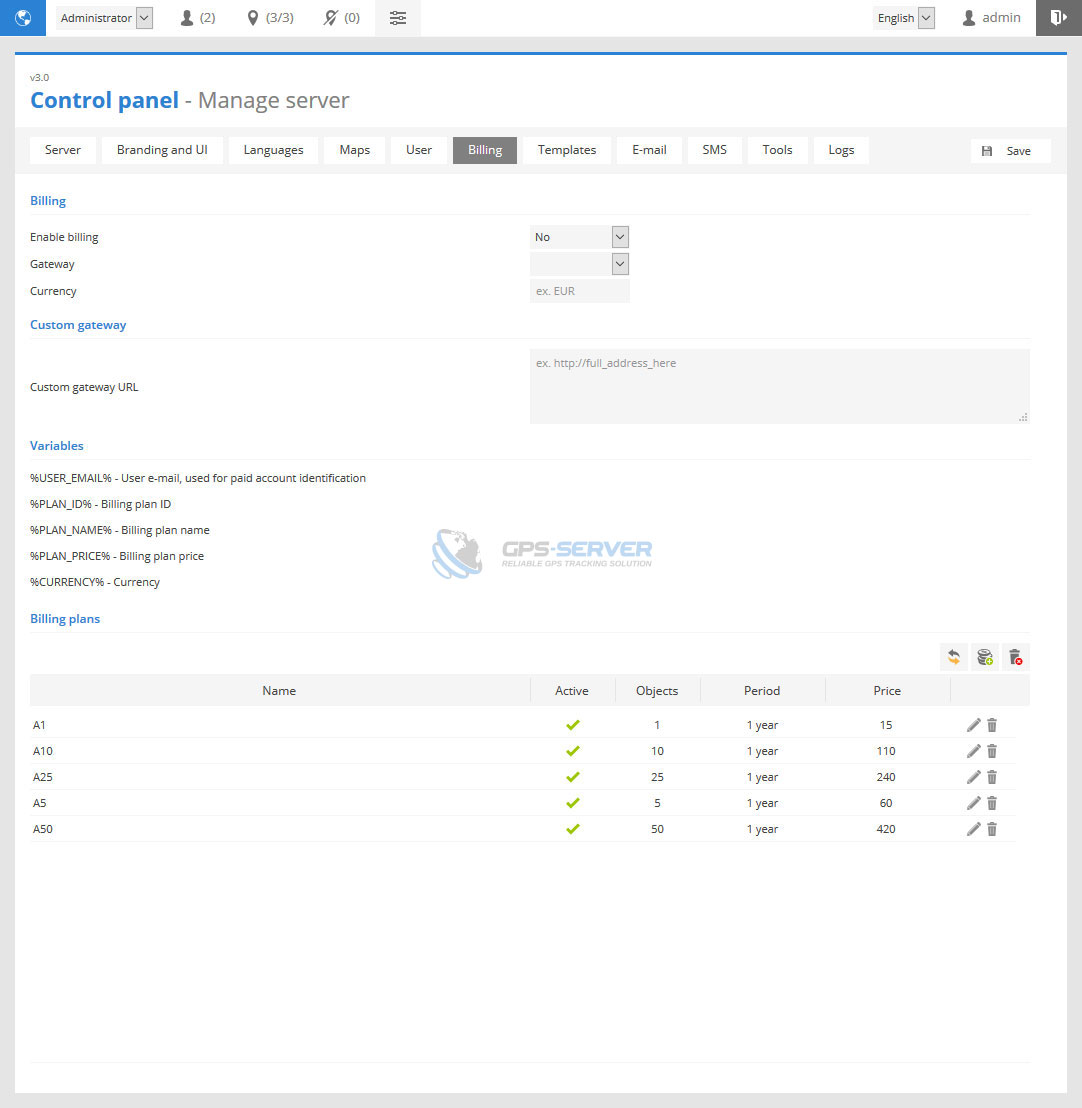
To add billing plan do next:
- In Billing page bottom part press
 Add button.
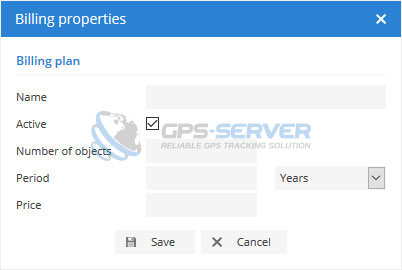
 - Billing properties window will appear.
Templates
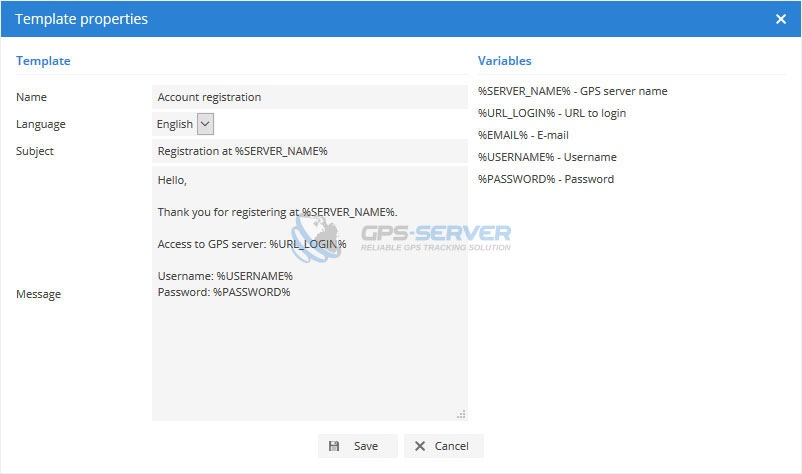
This section allows to edit system notification templates.
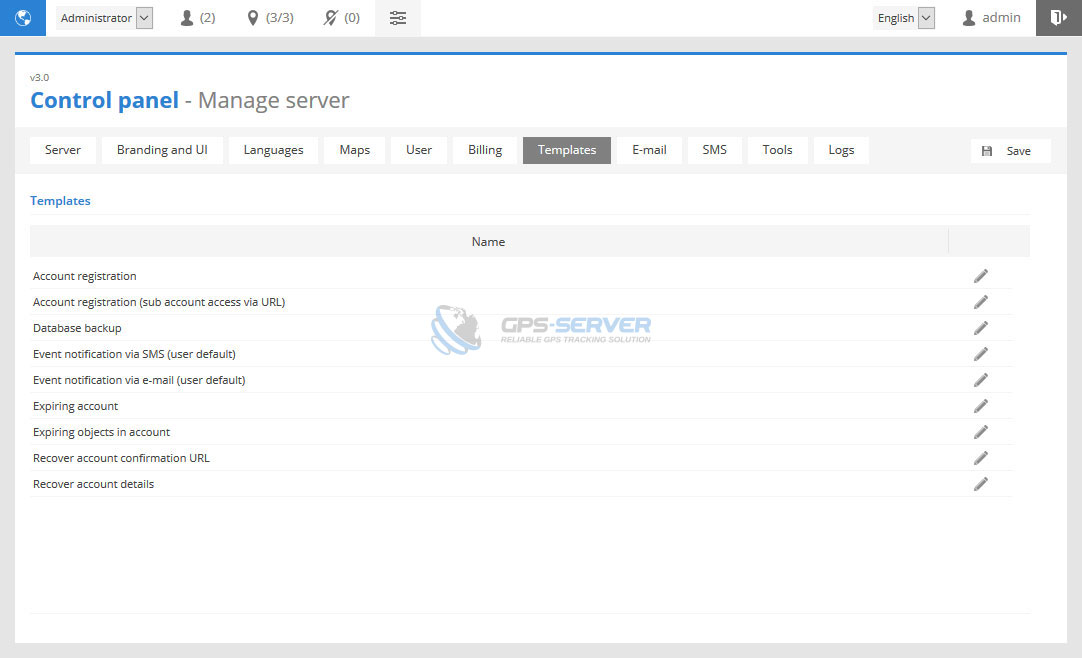
To edit template do next:
- In Templates tab choose template to edit and click edit icon on the right side.
- Template properties window will appear.
This section allows to configure e-mail settings. For more details about SMTP configuration contact your e-mail server provider.
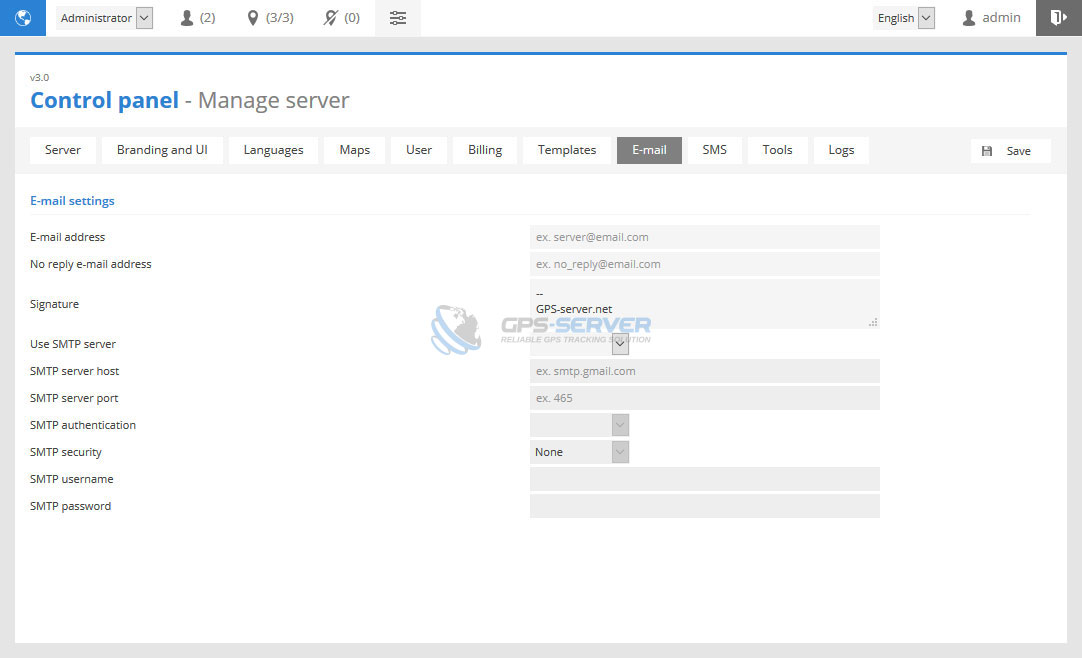
Gmail account configuration example:
- SMTP server host: smtp.gmail.com
- SMTP server Port: 465
- SMTP Authentication: Yes
- SMTP Security: SSL
- SMTP username: your gmail username
- SMTP password: your gmail password
If you are going to use Gmail account, then access for less secure apps
and unlock captcha should be done.
https://www.google.com
https://accounts.google.com
SMS
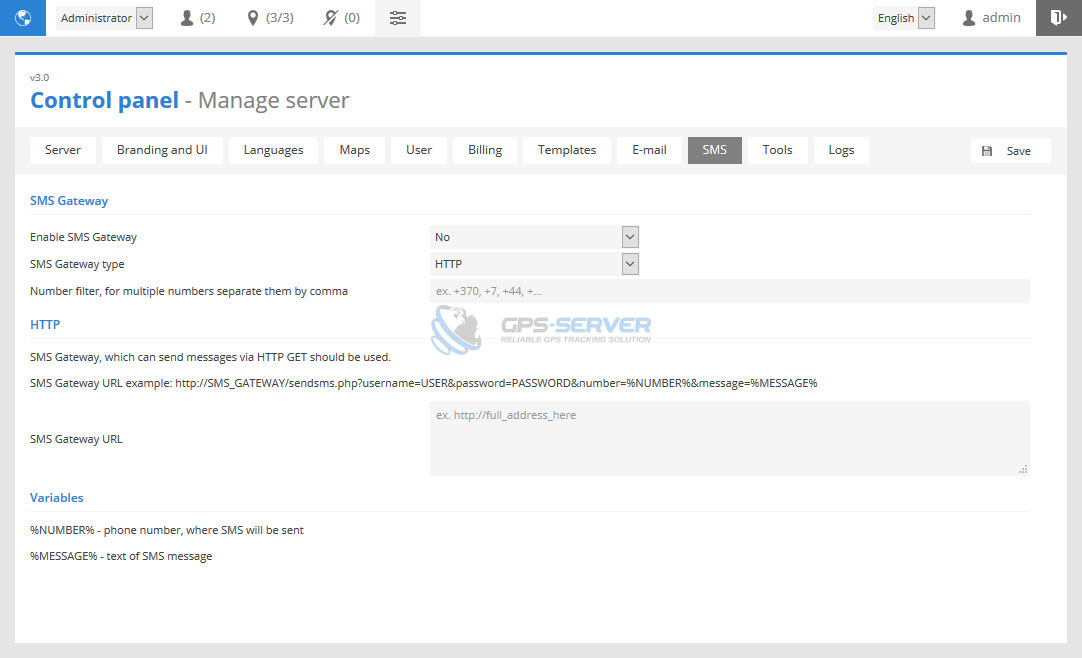
This sections allows to configure SMS gateway.
SMS gateway type - mobile application or HTTP.
Tools
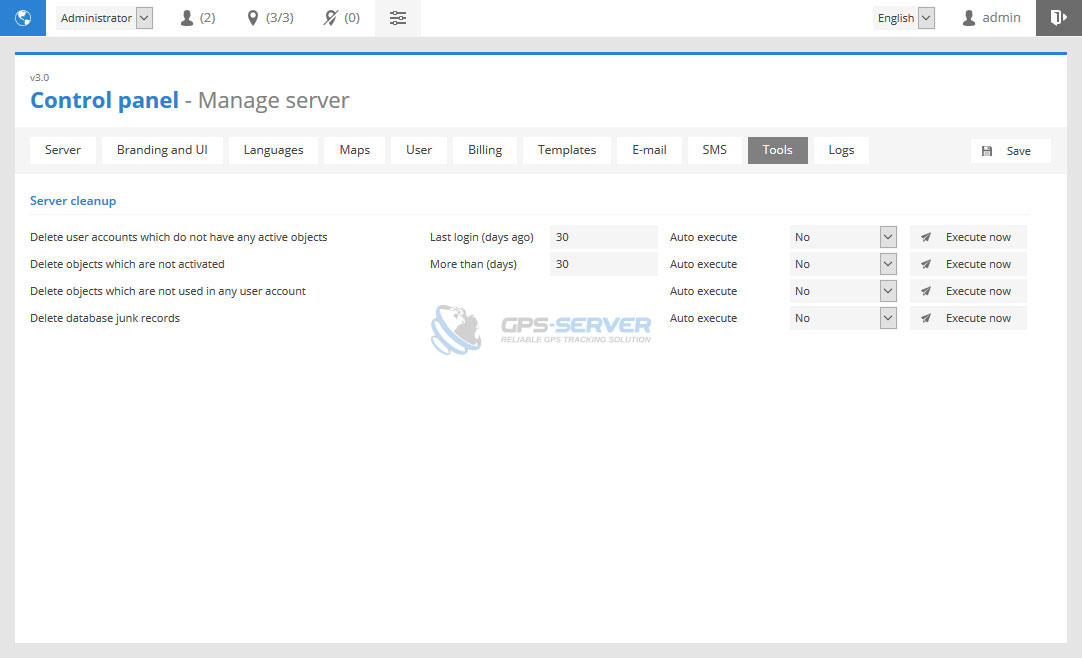
This section allows to clean unnecessary GPS server data. Auto execute feature will perform task once a day.
Logs
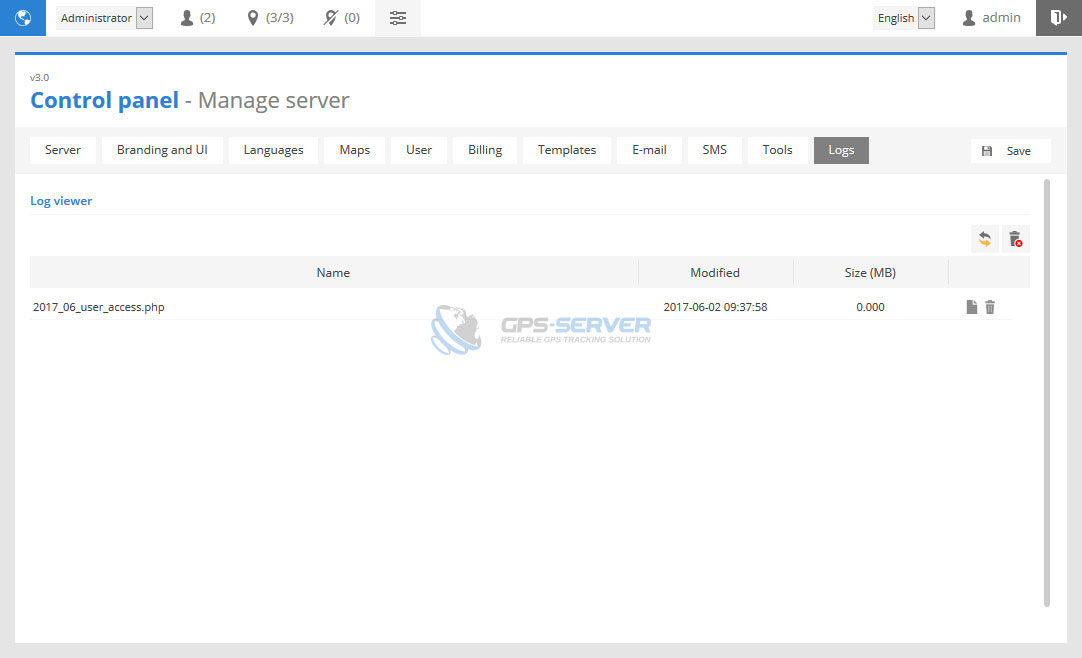
This sections allows to view log files related to objects and user login/registration operations.